
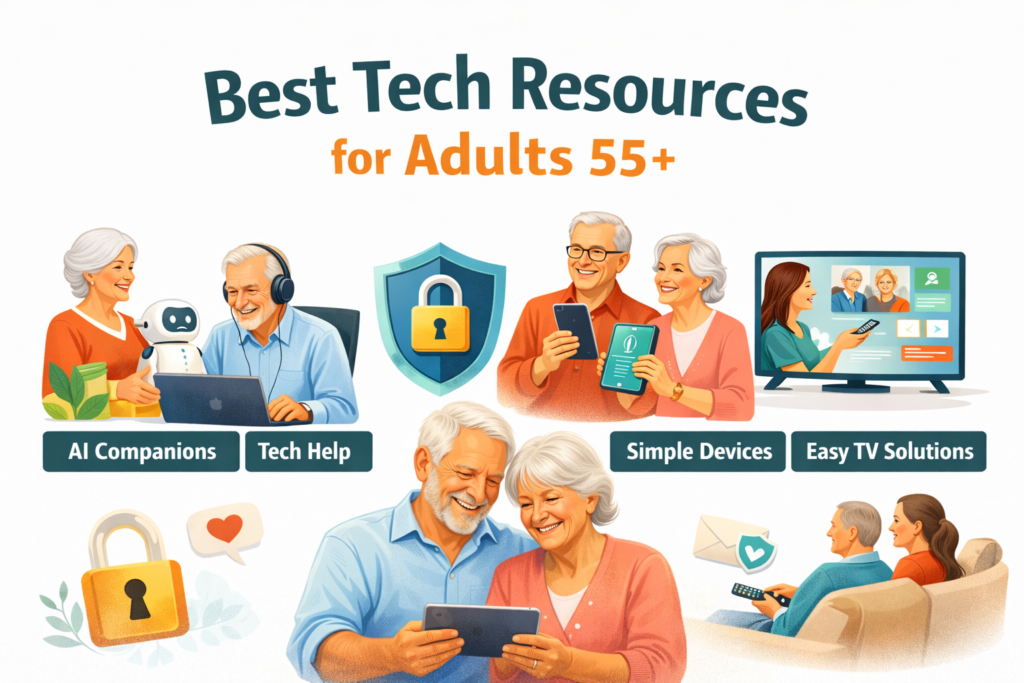
We’ve created a comprehensive comparison of companionship AI, tech support services, fraud protection tools, simplified devices, and TV solutions designed to help adults over 55 feel more confident using technology.
In this 2026 guide, we’ll explore the most effective tools across several key categories:
-
AI Companionship
-
Tech Help & Support
-
Fraud Protection
-
Simplified Devices
-
TV & Remote Family Support
-
Free Education
Before diving in, here’s an important truth:
Most adults 55+ do not struggle with technology because they “can’t learn.” Instead, they struggle because many support systems feel confusing, rushed, or even embarrassing. As a result, choosing the right tool starts with identifying the real need, not just the newest product.
On this page
To make this guide easy to navigate, we’ve organized it into the following sections:
The 2026 Digital Confidence Landscape at a Glance
First, review the comparison table below. It allows you to quickly match a solution to the specific challenge you’re facing — whether that’s loneliness, device overwhelm, scam anxiety, hardware issues, or everyday tech confusion.
In other words, the best solution depends less on the brand and more on the problem you’re trying to solve.
| Company / Resource | Category | Primary Purpose | Designed for 55+? | Hardware Required? | Best For |
|---|---|---|---|---|---|
| Meela | AI Check-In Calls | Companionship via scheduled voice calls | Yes | No | Loneliness reduction & routine connection |
| ElliQ | AI Companion Device | In-home interactive AI companion | Yes | Yes | Seniors living alone who want an in-home companion |
| Tech with Tessa | AI Tech Guidance | Everyday digital help & step-by-step clarity | Yes | No | Spam blocking, text size, passwords, “what does this mean?” |
| Geek Squad | Retail Tech Support | Device repair & troubleshooting | No | No | Hardware repair and in-person setup |
| Apple Support | Manufacturer Support | Apple device troubleshooting | No | No | Apple-specific issues and warranty support |
| Aura | Fraud Protection | Identity monitoring & alerts | No | No | Identity theft monitoring |
| LifeLock | Fraud Protection | Identity monitoring & protection services | No | No | Financial safety monitoring |
| GrandPad | Simplified Tablet | Easy communication & limited complexity | Yes | Yes | Very low-tech users who want simple connection |
| Jitterbug (Lively) | Simplified Phone | Large-button phones & simplified smartphones | Yes | Yes | Basic calling/texting and simpler phone options |
| JubileeTV | Simplified TV / Remote Care | Turns an existing TV into a simpler, family-supported hub | Yes | Yes | TV confusion, remote help from family, big-screen connection |
| AARP | Education | Tech literacy resources & classes | Yes | No | Learning and confidence-building |
AI Companionship & Check-In Services
For some older adults, the biggest challenge isn’t technical — it’s emotional. In many cases, the real need isn’t device support at all, but connection. If someone is living alone, feeling isolated, or simply wanting more day-to-day conversation, companionship tools may be the right fit.
These services focus on engagement and reassurance rather than troubleshooting or digital skill-building.
Meela
Meela provides AI-powered voice calls that are designed to feel conversational and supportive. Instead of solving technical problems, the platform prioritizes regular connection and routine interaction.
As a result, it can offer both companionship for seniors and peace of mind for family members.
Best for:
-
Loneliness reduction
-
Routine check-ins
-
Families seeking reassurance
Not designed for:
-
Real-time tech troubleshooting
-
Device repair
-
Teaching digital skills
In other words, Meela supports emotional well-being — not digital independence.
ElliQ
ElliQ takes a slightly different approach. Rather than voice-only calls, it offers a physical AI companion device placed directly in the home. The system pairs voice interaction with a visible presence, which can feel more engaging for some seniors.
Because it includes hardware, the experience often feels more interactive. However, that also means setup and compatibility need to be considered.
Best for:
-
Seniors living alone
-
In-home companionship
-
Families who prefer a visible device
Considerations:
-
Higher cost due to hardware
-
Requires setup and installation
Ultimately, companionship platforms are best suited for emotional connection. If the primary concern is loneliness, they can be helpful. However, if the need involves everyday tech confusion, a different category of support may be more appropriate.
Everyday Tech Guidance & Support
Many adults over 55 don’t need a new device. Instead, they need help with the same everyday frustrations that affect everyone — spam calls, tiny text, forgotten passwords, confusing pop-ups, and settings that seem to change without warning.
In these situations, the right support isn’t about replacing hardware. It’s about restoring confidence.
Tech with Tessa
Tech with Tessa provides step-by-step digital guidance designed specifically for adults 55+. Rather than focusing on device repair, it addresses everyday technology questions such as spam calls, text size adjustments, password resets, and confusing messages.
The platform is structured to move at a slower, patient pace and avoids technical jargon. As a result, it can help reduce repeated tech-support requests within families by offering an alternative source of guidance.
Best for:
-
Blocking spam calls and texts
-
Adjusting text size (iPhone or Android)
-
Password resets
-
Interpreting suspicious messages
-
General “how do I do this?” questions
Not intended for:
-
Hardware repair
-
Warranty services
-
Manufacturer-level technical support
In short, Tech with Tessa supports digital independence while also easing the invisible tech burden many families carry.
Geek Squad
By contrast, Geek Squad is designed for hands-on troubleshooting and hardware repair. If something is physically broken, misconfigured, or needs in-person setup, retail tech services can be effective.
However, these services are typically appointment-based and may involve higher costs.
Best for:
-
Hardware repair
-
Device setup and installation
Considerations:
-
Often requires scheduling
-
Costs can add up for recurring issues
Apple Support
For Apple users, official manufacturer support remains a strong option. Apple Support provides assistance for device troubleshooting, account issues, warranty questions, and repair pathways.
That said, the experience is not tailored specifically for older adults and may feel fast-paced or technical to some users.
Best for:
-
Apple device and account issues
-
Warranty and repair services
Considerations:
-
Not designed specifically for adults 55+
-
May require navigating technical terminology
Scam & Identity Protection
Scam anxiety remains one of the most common technology concerns among adults 55+. While identity monitoring services can help detect suspicious activity, monitoring alone is not the same as prevention or education.
Understanding that distinction is important when choosing the right tool.
Aura
Aura provides identity monitoring and alert services designed to notify users of potential fraud or misuse. These alerts can help families identify issues earlier and take corrective action.
Best for:
-
Identity monitoring
-
Fraud alerts
-
Early detection of suspicious activity
Not intended for:
-
Step-by-step scam education
-
Real-time interpretation of suspicious messages
-
General tech guidance
LifeLock
LifeLock also focuses on identity monitoring and protection services. In addition to alerts, it provides support pathways for responding to suspected identity misuse.
Best for:
-
Financial safety monitoring
-
Identity protection services
Considerations:
-
-
Prevention still requires user awareness and education
-
Not designed as a general tech-help platfor
-
Simplified Devices (Tablet & Phone)
For some seniors, the goal is not more guidance but fewer features. In those cases, simplified hardware can reduce confusion and create a more comfortable experience.
Rather than adding support layers, these devices limit complexity from the start.
GrandPad
GrandPad is a simplified tablet designed specifically for older adults. It emphasizes easy communication and a controlled interface intended to reduce overwhelm.
Best for:
-
Very low-tech users
-
Family communication
-
Reducing interface confusion
Considerations:
-
Operates on a hardware + service model
-
May limit access to advanced features or app customization
Jitterbug (Lively)
Jitterbug offers large-button phones and simplified smartphone options designed for seniors who prefer calling and texting without navigating complex menus.
Best for:
-
Basic calling and texting
-
A simpler phone interface
Considerations:
-
May not meet the needs of more advanced users
-
Requires reviewing carrier and service plan options
Simplified TV & Remote Family Support
TV is one of the most emotional “tech pain points” for families, especially when streaming apps, multiple remotes, and changing inputs create daily frustration. For many households, simplifying TV access can reduce stress immediately.
JubileeTV
JubileeTV is designed to simplify the TV experience for seniors while giving family members the ability to help remotely. It aims to reduce the “I can’t get the TV to work” moments that create daily frustration and dependency.
Best for:
- Seniors overwhelmed by remotes/streaming menus
- Adult children who want to help from afar
- Big-screen connection and simpler navigation
Considerations:
- Hardware-based solution
- Compatibility + setup required
Free Education Resources
Not every technology challenge requires a subscription or a device upgrade. When the primary goal is learning and long-term confidence, free education resources can be a practical starting point — particularly when combined with patient support from family or community programs.
These options focus on building understanding over time rather than solving issues immediately.
AARP
AARP provides technology literacy resources, including articles, webinars, and workshops designed to help older adults develop digital skills at a steady pace.
Best for:
-
Budget-conscious learning
-
Structured education
-
Gradual confidence-building
Also consider:
-
Local library technology classes
-
Community education programs
-
Senior center workshops
Ultimately, no single tool addresses every concern. Instead, the right choice depends on the underlying need — whether that involves loneliness, device complexity, scam anxiety, TV frustration, or everyday tech confusion.
Selecting the appropriate category first makes the decision process significantly clearer.
Frequently Asked Questions
What is the best tech support for seniors in 2026?
The best option depends on the problem. For device repair, a retail support service may help. For manufacturer-specific issues, official support channels work well. For everyday tech confusion (spam calls, text size, passwords, confusing messages), step-by-step guidance designed for adults 55+ can be a better fit.
Are AI check-in calls helpful for older adults?
They can be helpful for reducing loneliness and providing routine connection. These services are typically not designed for device troubleshooting or teaching digital skills, so families should match the tool to the need.
What helps prevent scams for seniors?
Identity monitoring services can alert users to suspicious activity, but prevention also requires education: recognizing phishing, avoiding urgent “act now” messages, and verifying links and callers before sharing information.
Is JubileeTV worth it for seniors who struggle with TV?
If TV frustration is a frequent stressor (multiple remotes, streaming apps, wrong inputs), a simplified TV solution can reduce daily tension. It’s especially helpful when family members want to assist remotely, but it does require setup and compatibility checks.
What is the easiest tablet for seniors?
Simplified tablets are often the easiest option for very low-tech users who primarily want communication features without extra complexity. The best choice depends on whether the user wants a full-feature tablet or a curated experience.
What is the best phone for seniors?
The best phone depends on how the person uses it. Some seniors want basic calling and texting with large buttons, while others want smartphone features with a simpler interface. A phone that reduces confusion is often more valuable than one with the most features.
How can adult children help aging parents with technology without causing stress?
Start by identifying the real problem: loneliness, TV frustration, scam fear, device complexity, or everyday confusion. Then choose a tool that matches that need. The most successful approach usually reduces embarrassment and makes support feel calm and predictable.